
verified-virtual-staging
@randalolson/verified-virtual-stagingSafety
Runnable
Well-formed
Use when you have a photo of an empty or vacant room and want it virtually staged with furniture for a real-estate listing, a short-term-rental page, or a furniture catalog, with proof that the staging only adds furniture and never changes the home's real layout.
See it in action
An empty house is hard for buyers to picture, so staged homes show better and tend to sell faster. Furnishing one with rented furniture runs hundreds of dollars a room each month, a few thousand across a listing, so sellers increasingly stage virtually instead. The catch is that a general image model, asked to furnish a room, will quietly re-render the walls behind the couch, and on a listing a moved window misrepresents the home. This workflow furnishes a vacant room and proves the real layout survived the edit. Fork it and run it on your own listings.
How it works
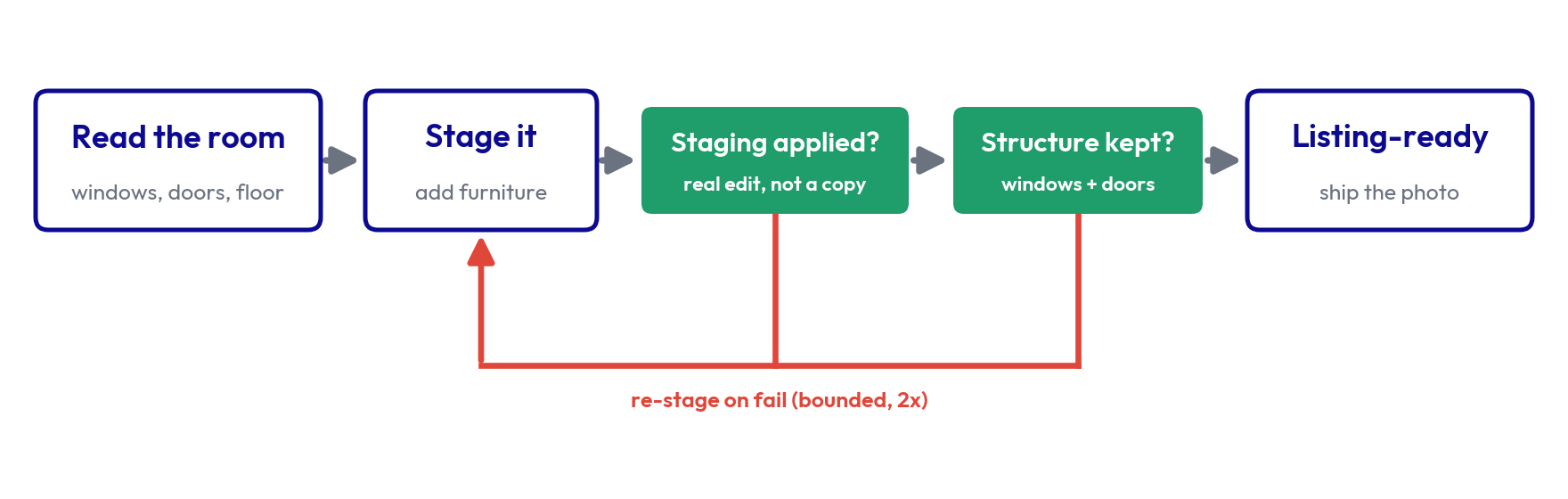
The workflow reads the room's fixed structure first, stages it with an image model, then puts the result through two checks before it ships. One confirms the room was actually furnished. The other confirms the windows, doors, and floor came through unchanged. When a check fails, the workflow re-stages and re-checks on its own, correcting a failed photo automatically. Only if it still drifts after a couple of tries does it flag the photo instead of publishing it.
The room you start with
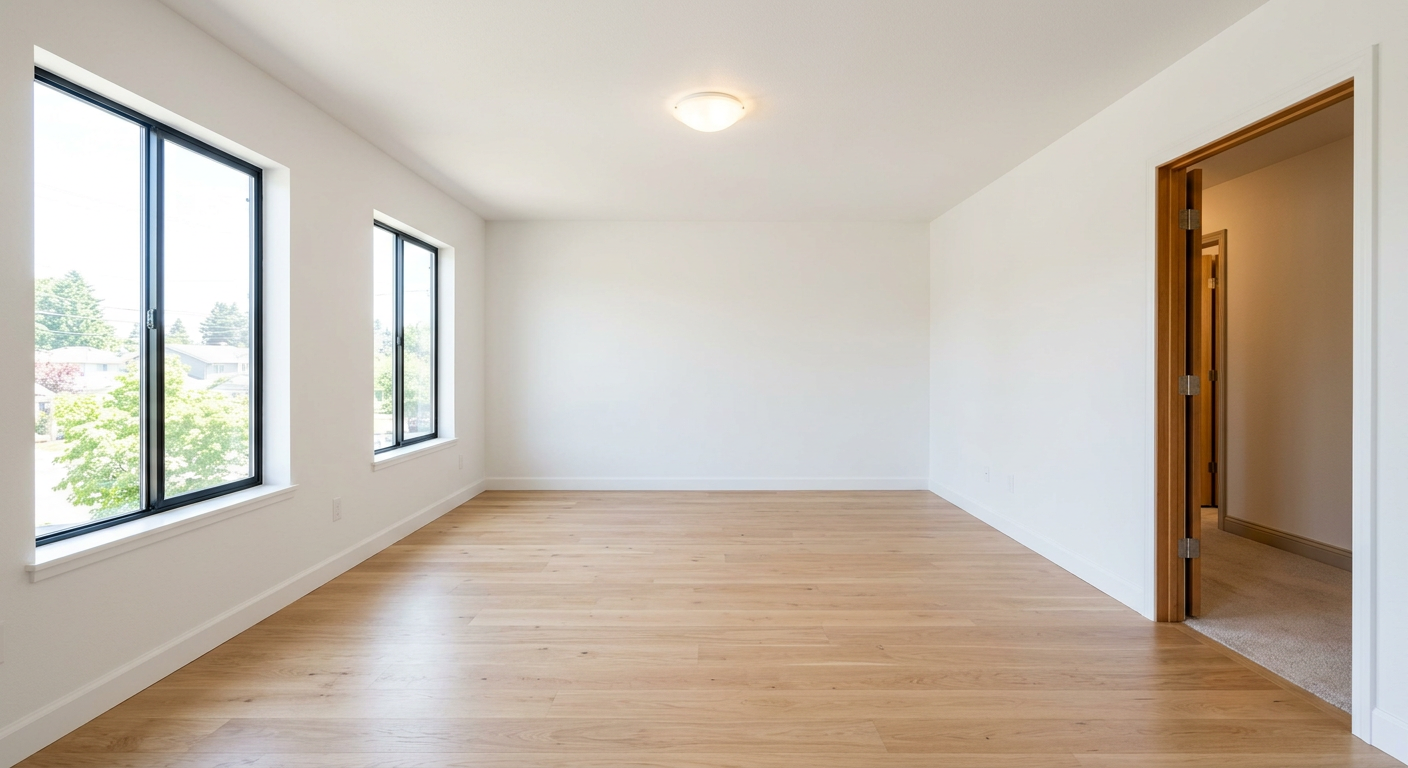
Two windows on the left wall, one doorway on the right, light oak hardwood floor. The workflow writes this down first, as the structural contract the staged photo has to honor.
Without the workflow
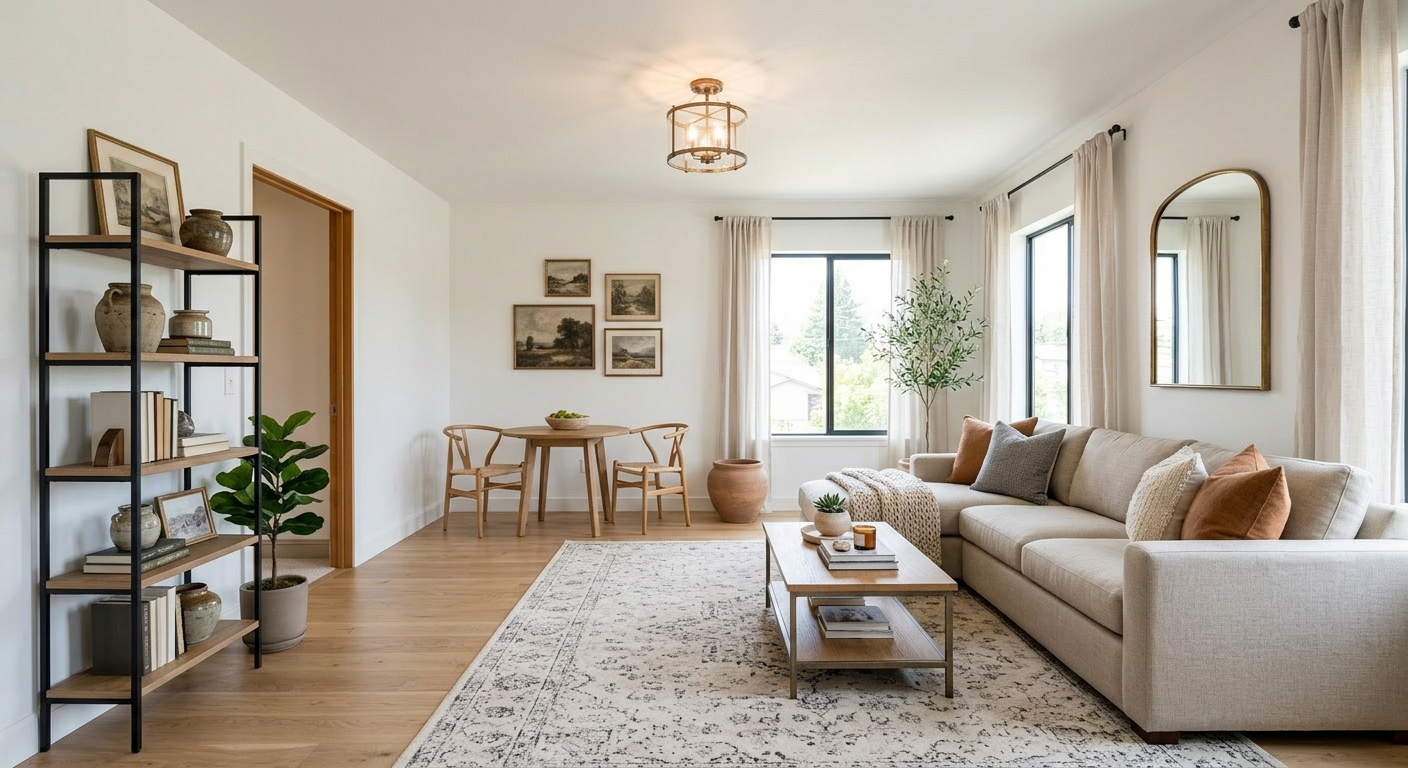
"Stage this empty room for a listing," one edit, no guardrails. The furniture looks convincing, so the photo is easy to ship. Look closer and both left-wall windows are gone and the doorway has moved to the other side, the kind of drift you would not catch scrolling a feed of listings. Nothing in a raw edit checks whether the real layout survived:
With the workflow
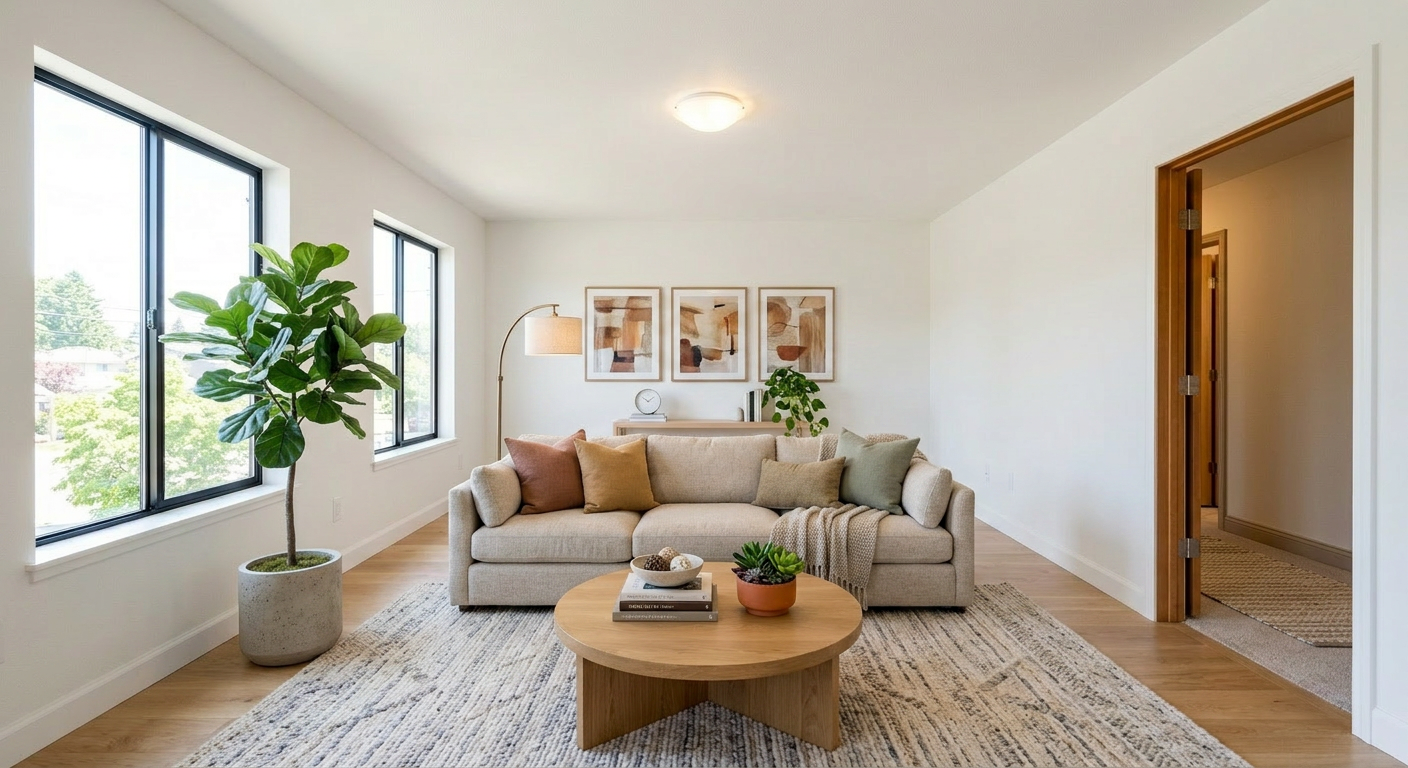
Same room, same image model, one difference: the staged photo is checked against that structural contract before it ships. The two windows and the doorway are still where they belong, and the floor is unchanged, so this version passes:
What this workflow checks
Most staged edits come back clean, so the workflow rarely intervenes on a single listing. Across a batch of listings, it catches the one edit that moved a wall before that photo reaches a buyer.
Build your own
Fork this template and run it on your own vacant rooms. Every staged photo comes back with the structure check attached.
Use this template
Your agent fetches this runbook and runs it, revising the output until the verifiers pass.
First time with Goodeye?
Connect your agent over MCP, then ask it to fetch this template by its identifier. Or install the CLI and run the command below.
claude mcp add --transport http goodeye https://mcp.goodeye.dev/mcpuv tool install goodeyeConnecting over MCP prompts a quick sign-in. The CLI can fetch and run a public template with no account.
Fetch or fork
goodeye templates get @randalolson/verified-virtual-staginggoodeye templates fork @randalolson/verified-virtual-stagingAlso available from
get_template(identifier="@randalolson/verified-virtual-staging")curl https://api.goodeye.dev/v1/templates/@randalolson/verified-virtual-staging